How to Set Up Your Booking Page So Clients Actually Use It
A booking page that sits unused is worse than no booking page at all. Here is what makes clients actually click, fill it out, and show up.
Most businesses that add a booking page assume the hard part is done. But a page that requires too many steps, loads too slowly, or asks for information clients do not have ready will be abandoned, often without you ever knowing.
The difference between a booking page that converts and one that does not is usually not design. It is friction.
Do not require an account to book
This is the single biggest conversion killer in service business booking. Requiring clients to create an account before they can see your availability adds two or three steps before they get what they came for. Most people will close the tab.
Let new clients book with just a name, phone number, and email. Collect more information once they are a regular.
Show real availability, not a contact form
A contact form that says 'request an appointment and we will get back to you' is not a booking page. It is a lead form. Clients who want to book want to see open times and pick one. If they have to wait for a confirmation call, they may find somewhere else first.
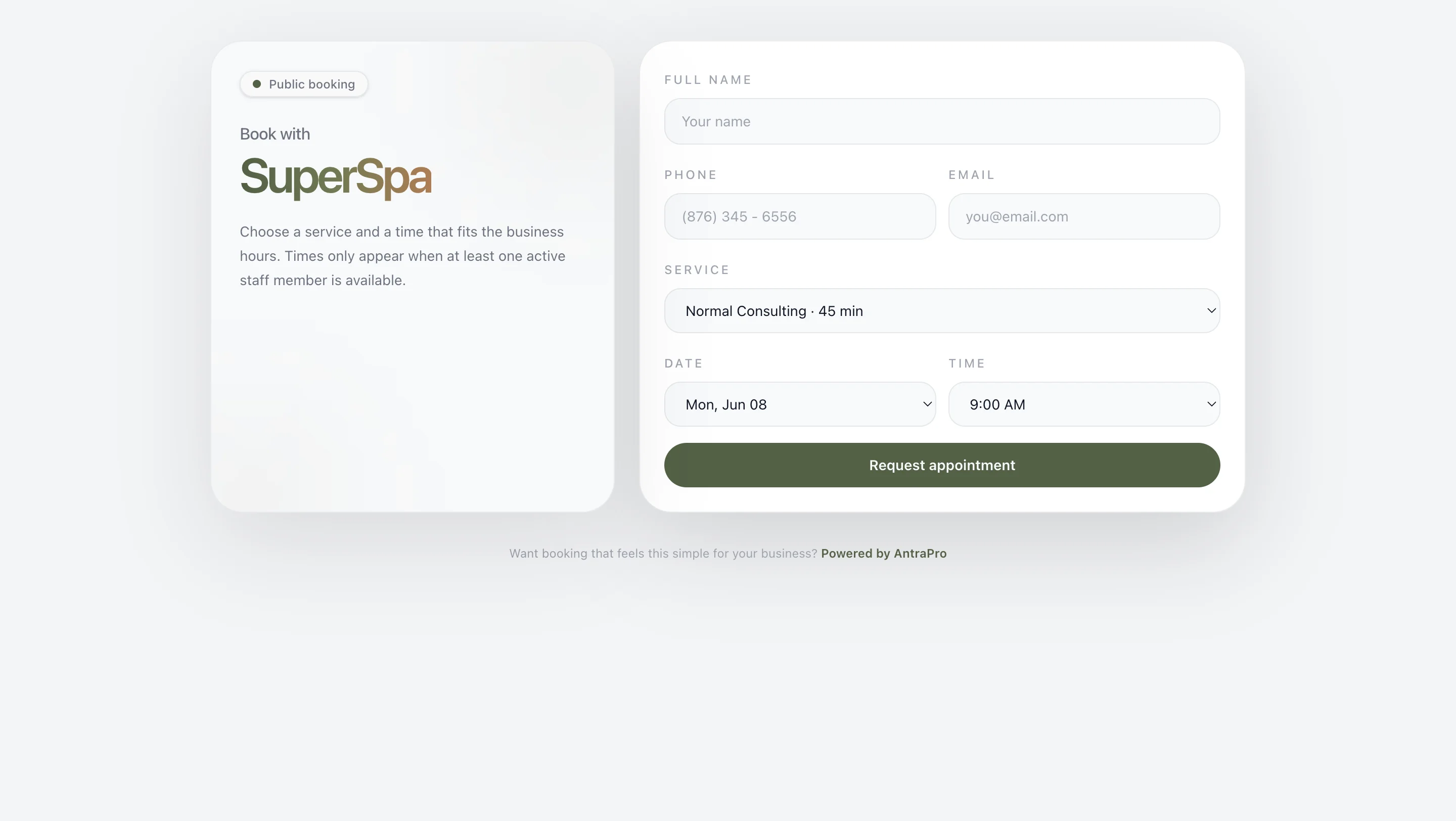
Optimize for mobile first
Most clients who find your booking link are on their phones. If the page is hard to use on a small screen, you will lose a large portion of potential bookings before they start. Every button should be easy to tap, every form field should be easy to type in, and the flow should feel natural without zooming or scrolling horizontally.
Put the link everywhere they look
Having a booking page does not help if no one finds it. Common high-traffic spots:
- Instagram bio link
- Google Business Profile (there is a dedicated 'Book' button)
- WhatsApp business profile link
- Facebook page
- The first line of every email signature
The goal is that no matter how a client finds you, the path to booking is one tap away.
Send an immediate confirmation
The moment a client books, they should receive a confirmation with the details: their name, the service, the staff member, the date, and the time. This serves two purposes. It reassures them the booking went through, and it creates a reference they can check before the appointment.
A booking page that confirms immediately feels trustworthy. One that leaves clients wondering whether it worked feels like a gamble.
Your clients want to book. Make it easy for them.
AntraPro gives you a mobile-optimized booking page with real availability, no account required for clients, and automatic confirmation emails.
Get started →